
Notebook

The sequenced notebook
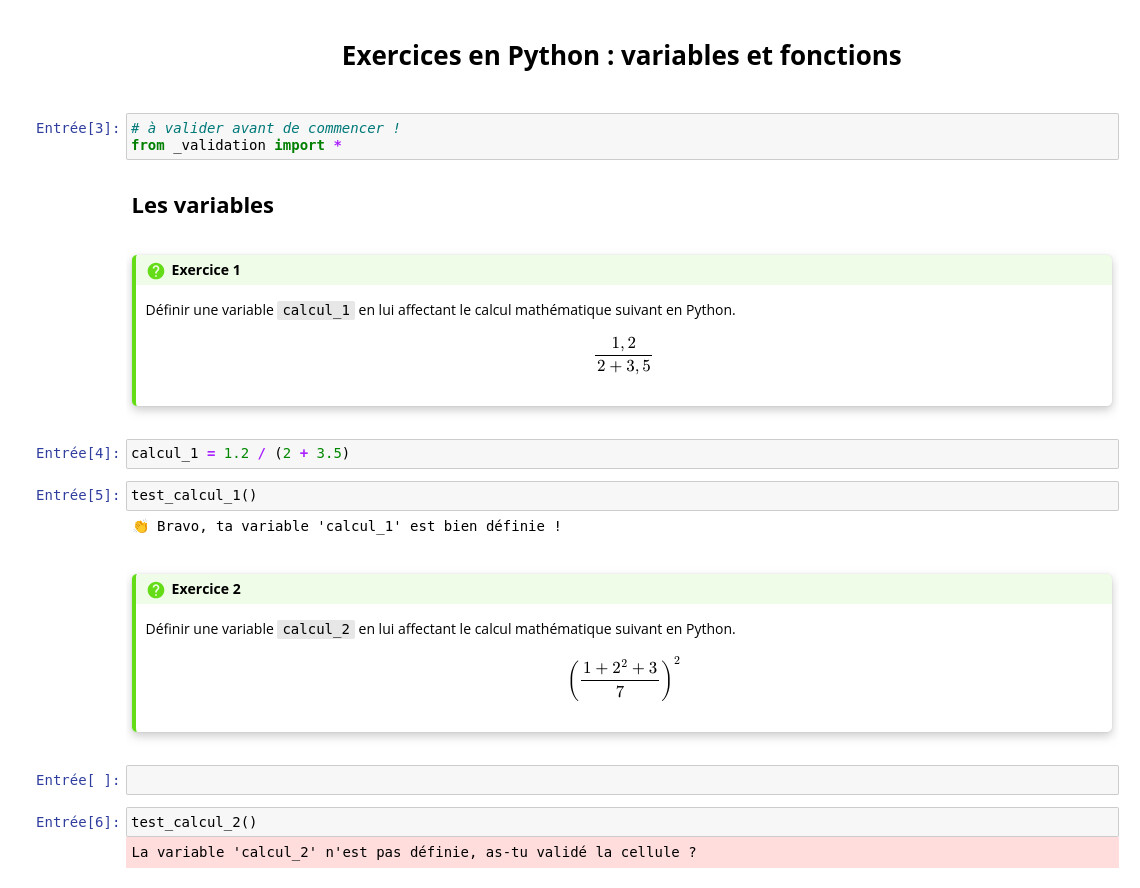
With the sequenced extension, Basthon's notebook reveals itself step by step: what comes next only appears once the student has passed the current step.
Enable the extension in the URL (extensions=sequenced) and tag breakpoint the cells used as breakpoints. These cells call validation functions, usually put in a separate module so as not to give away the answers.
Collapsible admonitions
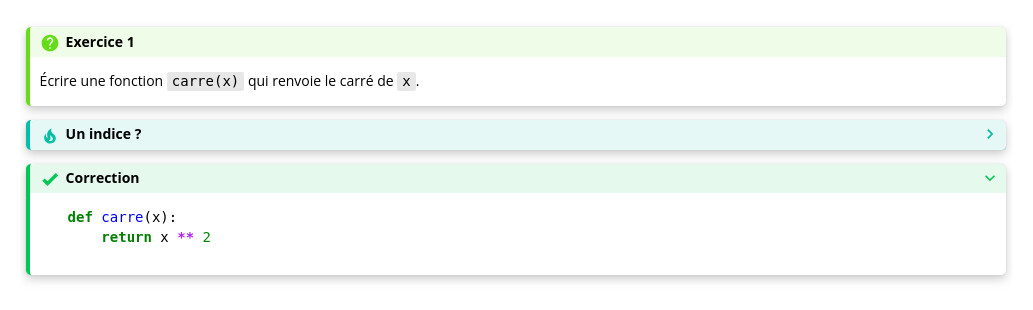
The admonitions of the notebook can now be collapsed: just replace the !!! with ???. Ideal to hide a hint or a solution!
??? tip A hint?
In Python, the power is written `**`.
???
The filesystem:/ scheme
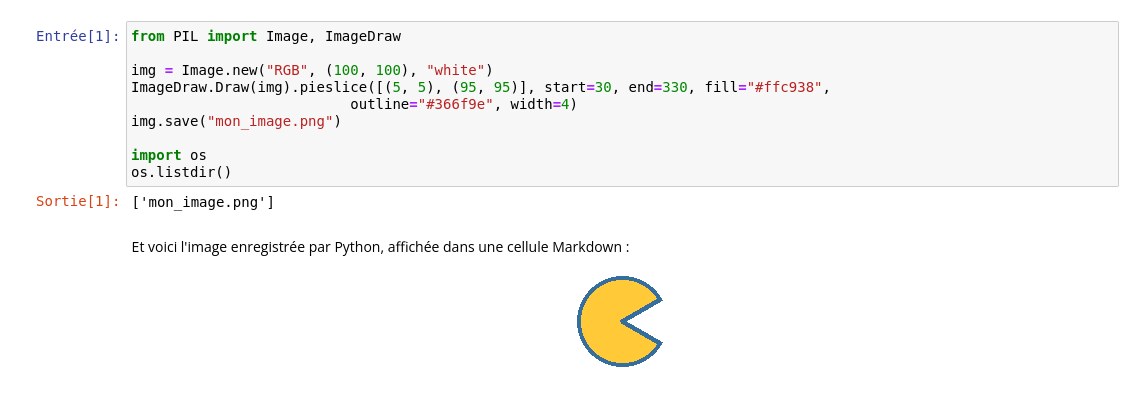
The files created by Python in Basthon can now be reached with the filesystem:/ prefix. An image generated with PIL, for instance, can be loaded with loadImage in p5 or shown directly in a Markdown cell:
A dark mode for the notebook
Notebook users can now take off their sunglasses!
Admonitions in the notebook
The Markdown cells of Basthon's notebook accept admonitions, these coloured boxes that come in very handy to highlight an instruction, a tip or a warning:
!!! question Exercise 1
Write a function `square(x)` that returns the square of `x`.
!!!
A dozen types are available: note, info, tip, success, question, warning, danger, bug, example, quote…
