
Notebook

Iframes in Markdown
The Markdown cells of Basthon's notebook can embed outside pages with the <iframe> tag: map, video, applet… For security, these iframes are put in a sandbox (sandbox) and have no access to the notebook.
<iframe
width="100%"
height="350"
src="https://www.openstreetmap.org/export/embed.html?bbox=2.284%2C48.853%2C2.305%2C48.864&marker=48.8584%2C2.2945"
></iframe>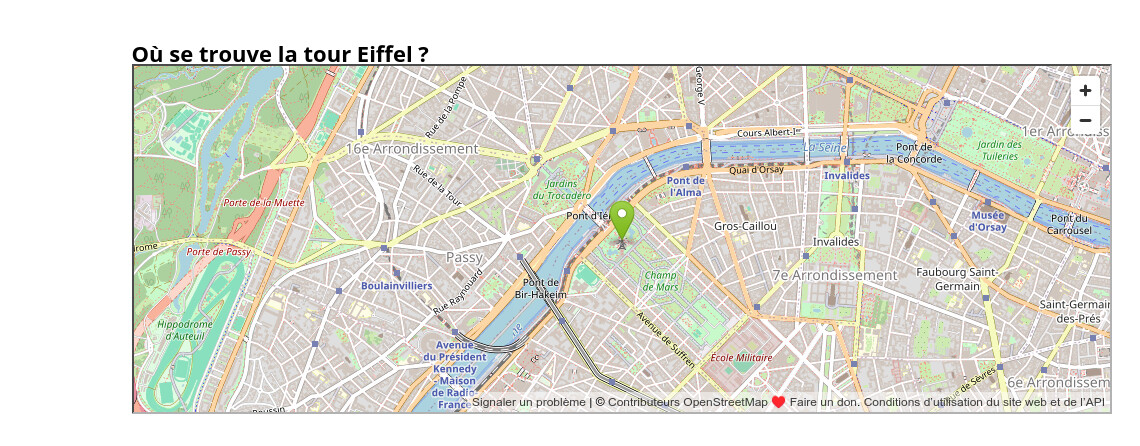
clear_output
The clear_output function of the IPython.display module works in Basthon: it clears the output of the current cell. With wait=True, the clearing only happens at the next display, which avoids flickering. Perfect for a progress bar, a countdown or a little text animation!

Mermaid
The Markdown cells of Basthon's notebook can now draw Mermaid diagrams: graphs, sequence, class or state diagrams… A mermaid code block is all it takes:
```mermaid
graph LR
    A[Input] --> B{Test}
    B -->|true| C[Action]
    B -->|false| D[End]
```
They can also be produced from Python with IPython.display.Markdown.

Read-only instructions
An unfortunate double click on an instruction, and the student faces Markdown code… With the romd extension (for read-only markdown, URL parameter extensions=romd), the Markdown cells of Basthon's notebook can no longer be edited, and none can be created.

Line numbers from the start
With the linenumbers extension (URL parameter extensions=linenumbers), Basthon's notebook opens with line numbers shown in every code cell. Handy to tell a student "look at line 4"!
