December 2023

Read-only instructions
An unfortunate double click on an instruction, and the student faces Markdown code… With the romd extension (for read-only markdown, URL parameter extensions=romd), the Markdown cells of Basthon's notebook can no longer be edited, and none can be created.

Line numbers from the start
With the linenumbers extension (URL parameter extensions=linenumbers), Basthon's notebook opens with line numbers shown in every code cell. Handy to tell a student "look at line 4"!

The sequenced notebook
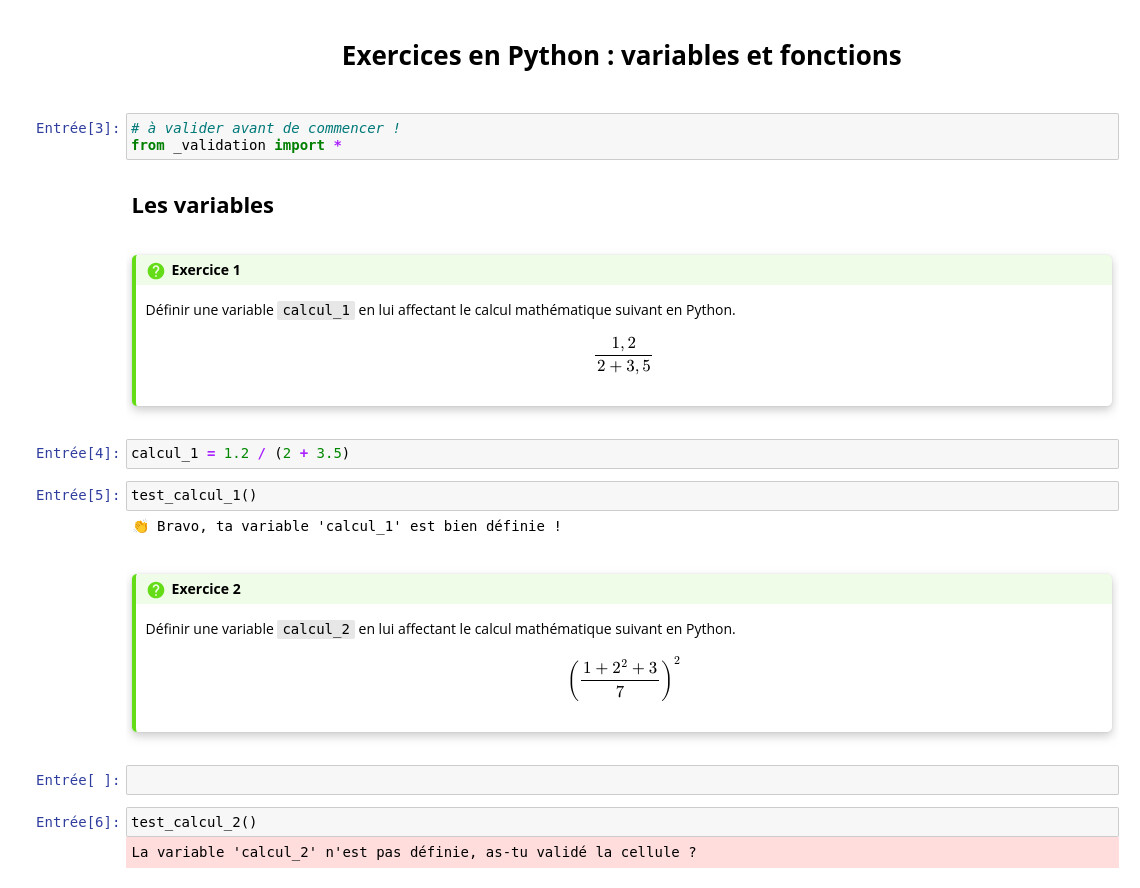
With the sequenced extension, Basthon's notebook reveals itself step by step: what comes next only appears once the student has passed the current step.
Enable the extension in the URL (extensions=sequenced) and tag breakpoint the cells used as breakpoints. These cells call validation functions, usually put in a separate module so as not to give away the answers.
openpyxl
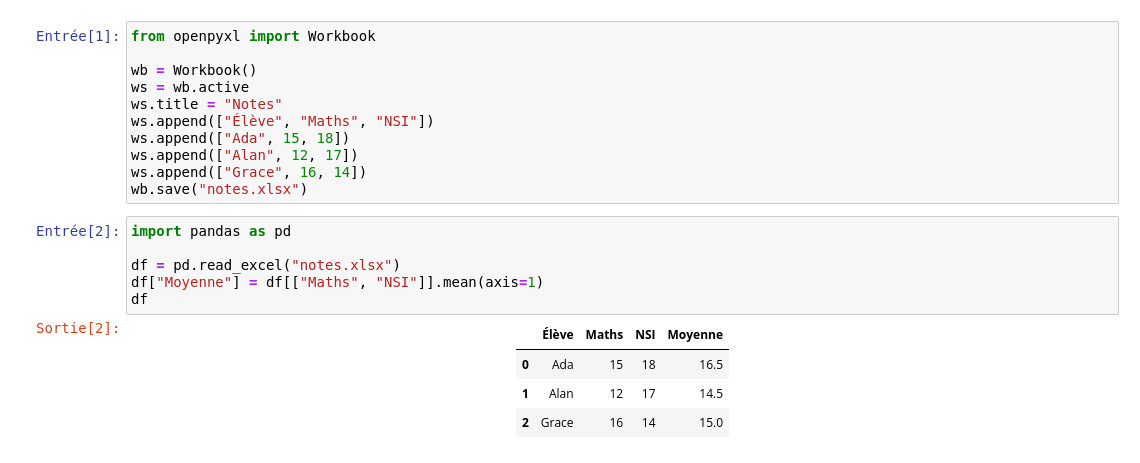
The openpyxl module arrives in Basthon's Python kernel: Excel files (.xlsx) can now be read and written, directly or through pandas.read_excel.
Collapsible admonitions
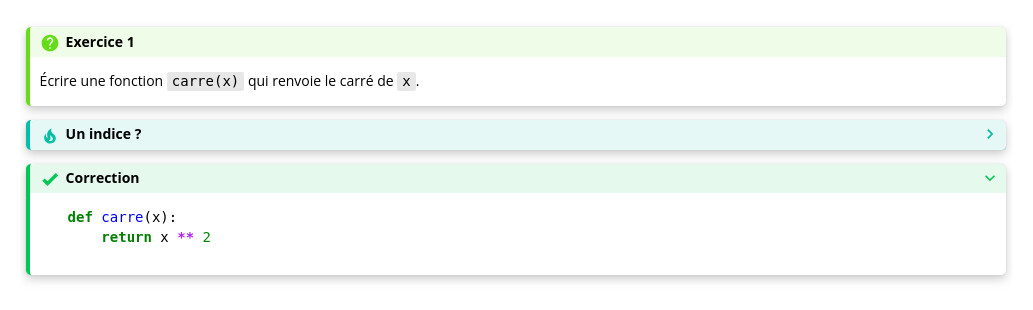
The admonitions of the notebook can now be collapsed: just replace the !!! with ???. Ideal to hide a hint or a solution!
??? tip A hint?
In Python, the power is written `**`.
???