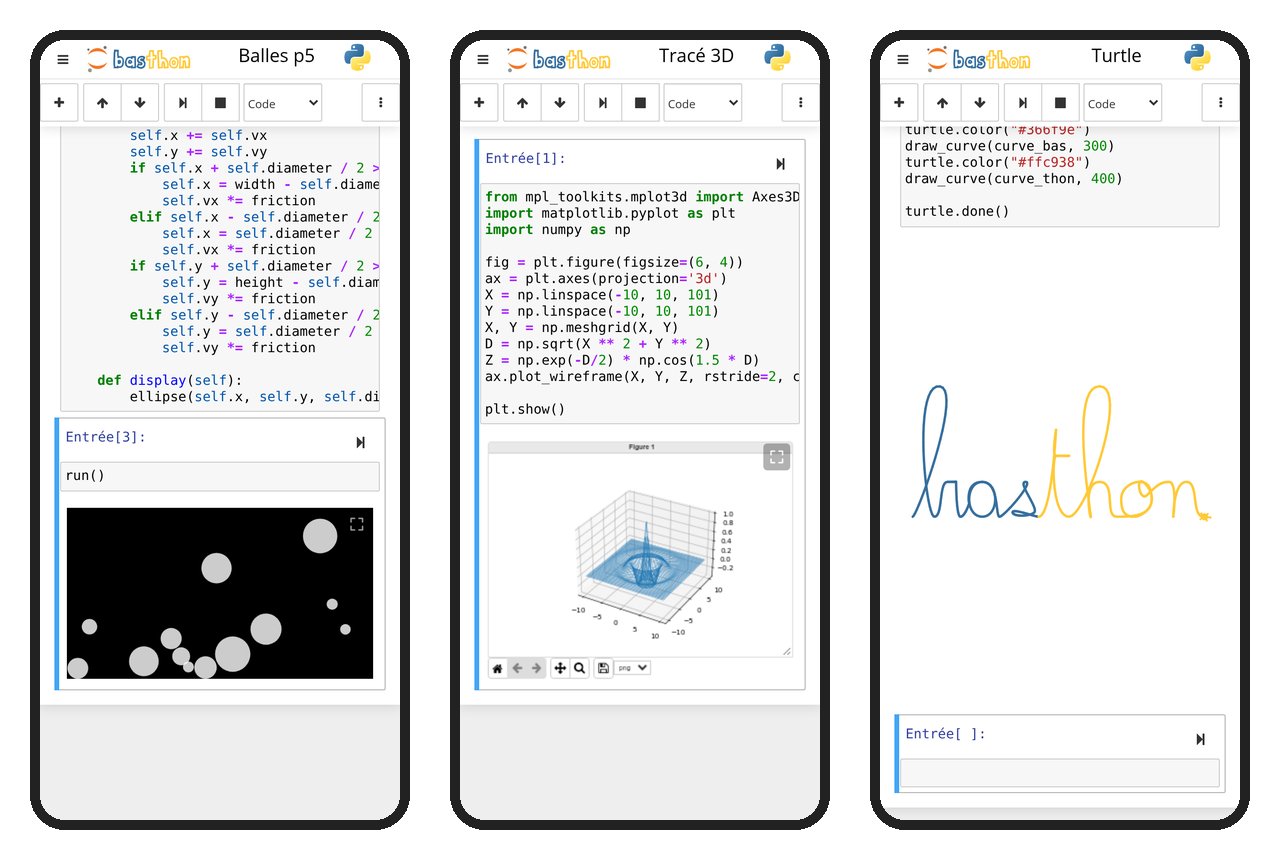
The notebook on a phone
Basthon's notebook now fits phone screens: you can read, write and run code at your fingertips, in portrait as in landscape.
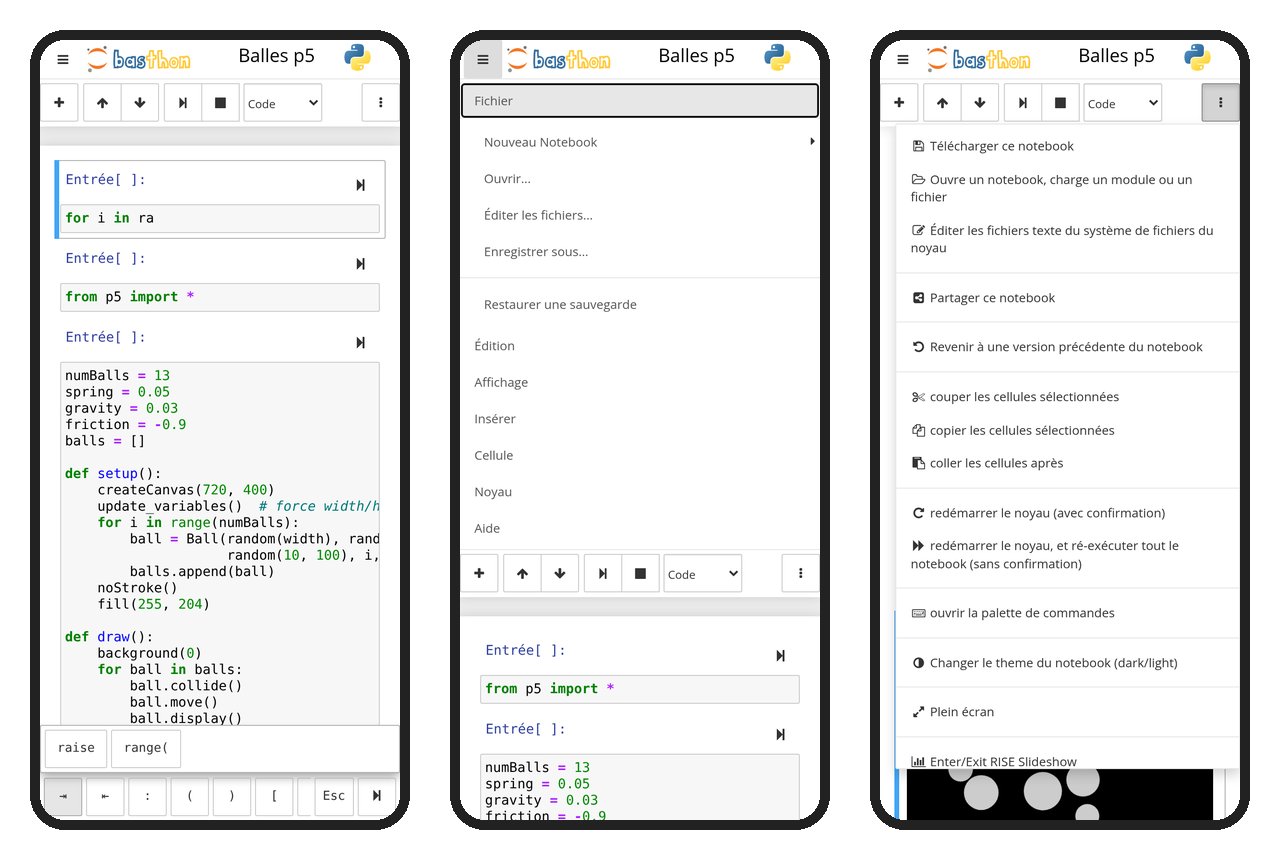
The header fits on two lines: the ☰ menu button next to the title, then a toolbar reduced to the essentials (insert, move, run, interrupt, cell type). The other buttons are put in the ⋮ menu, and submenus open with a touch.
While a cell is being edited, a key bar shows above the virtual keyboard, with what it lacks to write Python:
- ⇥ completes the current name, like Tab on a computer, or indents at the start of a line, and ⇤ dedents;
:, parentheses, brackets,=, quotes and#are at your fingertips, as are undo and redo;- Esc leaves the editing and ▶ runs the cell.
Completion suggestions are shown as buttons just above. While typing, the header disappears to make room for the code, and a markdown cell is edited by touching it a second time.
Rich outputs follow: p5 drawings, matplotlib figures, tkinter windows or the turtle are scaled down to the width of the screen, and stay interactive. The full screen button still enlarges them.