Interactive canvases in JavaScript
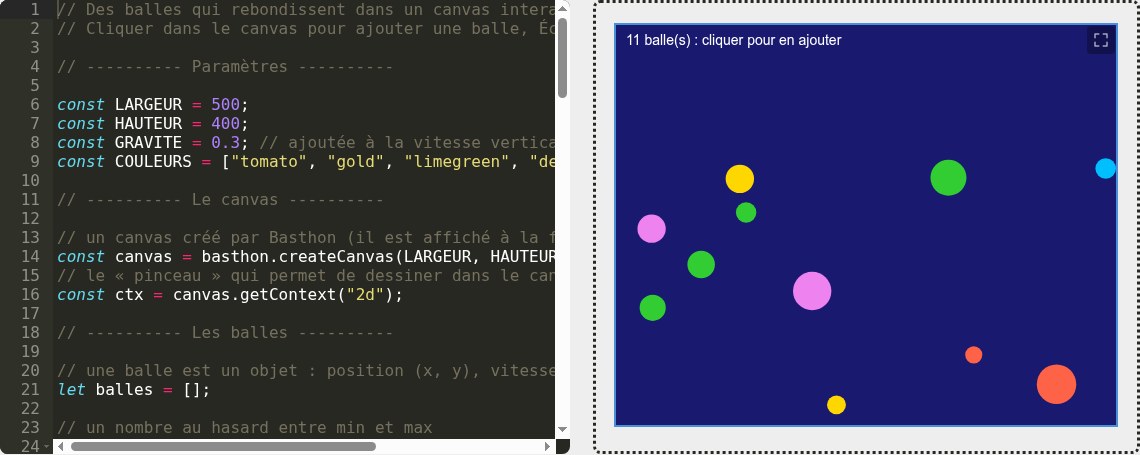
Basthon's JavaScript kernel can now show a live canvas, like the OCaml kernel: you draw on it, it animates, and it reacts to the mouse and the keyboard.
javascript
const canvas = basthon.createCanvas(400, 300);
const ctx = canvas.getContext("2d");

ctx.fillStyle = "orange";
ctx.fillRect(10, 10, 100, 50);

canvas.addEventListener("mousedown", (e) => {
  ctx.beginPath();
  ctx.arc(e.clientX, e.clientY, 10, 0, 2 * Math.PI);
  ctx.fill();
});

basthon.displayLiveCanvas(canvas);
The canvas stays alive after the run: whatever is drawn on it afterwards is shown, for instance with requestAnimationFrame for an animation. The mouse coordinates (clientX, clientY) are those of the canvas, and keys arrive on canvas.ownerDocument. The example of the gallery bounces balls: a click adds one, Esc clears them.