
A teacher's password to unlock the rest of the notebook
Basthon's input function can now hide what is typed:
python
pwd = input("Password: ", password=True)The standard getpass module benefits from it too: getpass.getpass() now shows a real password field.
Combined with the sequenced notebook, this novelty lets the teacher validate each step of an activity, walking around the class and typing their password.
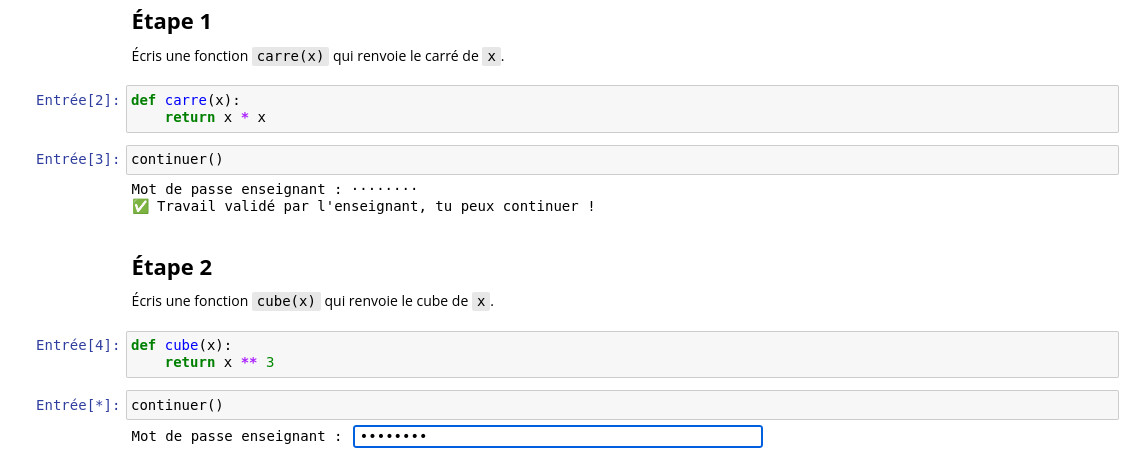
The validation code
It goes in a _mot_de_passe.py module, loaded with the notebook:
python
from hashlib import sha256

from basthon.autoeval import Validate, validationclass

# SHA-256 hash of the teacher's password (here "prof2026").
# To generate another one:
#   import hashlib; hashlib.sha256(b"my_password").hexdigest()
_HASH = "f5a135a2c751beacbda9c2cadc17debe1699e67b6634a0b5165fac37d9ad1428"


@validationclass
class ValidateTeacher(Validate):
    """Validation of a breakpoint by the teacher's password."""

    def __call__(self):
        pwd = input("Teacher's password: ", password=True)
        if sha256(pwd.encode()).hexdigest() == _HASH:
            print("✅ Work validated by the teacher, you can go on!")
            return True
        print("❌ Wrong password: call your teacher.")
        return False


def go_on():
    """To call in each cell tagged "breakpoint"."""
    ValidateTeacher(label="teacher-validation")()
All that is left is to import go_on (from _mot_de_passe import go_on) and call it in each cell tagged breakpoint of the sequenced notebook: as long as the password has not been typed, the following cells stay locked.
Two remarks on this code:
- the password appears nowhere: only its SHA-256 hash is stored, so a curious student who opened
_mot_de_passe.pycould not find it; - a new validation object at each step: an instance of
Validatecan only be validated once. That is whygo_on()creates a new one at each call, which allows the same password to be reused for every step.